Android Plataforma - Part 15: Taking care of your code with Detekt, ktlint and Spotless
By Rodrigo Sicarelli 6 min read Updated
In the last article we covered how our platform lets different modules opt into experimental features.
Now let’s look at how to safeguard code quality by integrating a few plugins.
Why bother automating code checks?
When you work as a team, having style and naming conventions is essential to stay consistent. Setting a solid standard reduces decision fatigue and makes collaboration easier.
Think of it this way: when you join an orchestra, you follow the conductor who sets the tempo for the music. It’s the same with our modules; we follow conventions that the team agreed on beforehand, applied automatically.
This is especially helpful when someone new joins the team, and it also keeps those agreements documented, codified, and open to collaboration.
Adding static code analysis with Detekt
Detekt is probably the most well-known tool in Kotlin for analyzing code and making sure certain practices are followed.
We won’t dwell too much on its features here; let’s go straight to the implementation.
Step by step
1 - Let’s start by declaring detekt in our libs.versions.toml:
[versions]
detekt = "1.23.1"
detektCompose = "0.2.3"

[libraries]
gradlePlugin-detekt = { module = "io.gitlab.arturbosch.detekt:detekt-gradle-plugin", version.ref = "detekt" }

detektRules-compose = { module = "io.nlopez.compose.rules:detekt", version.ref = "detektCompose" }
detektRules-formatting = { module = "io.gitlab.arturbosch.detekt:detekt-formatting", version.ref = "detekt" }
detektRules-libraries = { module = "io.gitlab.arturbosch.detekt:detekt-rules-libraries", version.ref = "detekt" }

[plugins]
arturbosch-detekt = { id = "io.gitlab.arturbosch.detekt", version.ref = "detekt" }
2 - Sync the project. Head over to build-logic/build.gradle.kts and let’s compile the detekt dependency into our platform:
dependencies {
    compileOnly(libs.gradlePlugin.android)
    compileOnly(libs.gradlePlugin.kotlin)
    compileOnly(libs.gradlePlugin.detekt)
}
3 - Sync the project. Now let’s declare our DetektOptions DSL.
Create a DetektOptions file in build-logic/src/../options
data class DetektOptions(
    val parallel: Boolean,
    val buildUponDefaultConfig: Boolean,
    val configFileNames: List<String>,
    val includes: List<String>,
    val excludes: List<String>
)

class DetektOptionsBuilder {

    var parallel: Boolean = true
    var configFiles: List<String> = listOf(".detekt.yml, .detekt-compose.yml")
    var buildUponDefaultConfig: Boolean = true
    var includes: List<String> = listOf("**/*.kt", "**/*.kts")
    var excludes: List<String> = listOf(".*/resources/.*", ".*/build/.*")

    internal fun build(): DetektOptions = DetektOptions(
        parallel = parallel,
        configFileNames = configFiles,
        includes = includes,
        excludes = excludes,
        buildUponDefaultConfig = buildUponDefaultConfig
    )
}
4 - Next, create a new detekt.kt file in build-logic/src/.../decorations and declare an applyDetekt() function
This configuration enforces that:
- This plugin can only be called from the root
build.gradle.kts - A
.detekt.ymlfile exists at the project root - A
.detekt-compose.ymlfile exists at the project root
import com.rsicarelli.kplatform.options.DetektOptions
import io.gitlab.arturbosch.detekt.Detekt
import io.gitlab.arturbosch.detekt.extensions.DetektExtension
import org.gradle.api.Project
import org.gradle.api.artifacts.MinimalExternalModuleDependency
import org.gradle.kotlin.dsl.DependencyHandlerScope
import org.gradle.kotlin.dsl.configure
import org.gradle.kotlin.dsl.dependencies
import org.gradle.kotlin.dsl.withType

internal fun Project.applyDetekt(
    detektOptions: DetektOptions
) {
    check(rootProject == this) { "Must be called on a root project" }

    pluginManager.apply("io.gitlab.arturbosch.detekt")

    extensions.configure<DetektExtension> {
        parallel = detektOptions.parallel
        toolVersion = libs.version("detekt")
        buildUponDefaultConfig = detektOptions.buildUponDefaultConfig
        config.setFrom(detektOptions.configFileNames.map { "$rootDir/$it" })
    }

    tasks.withType<Detekt> {
        setSource(files(projectDir))
        include(detektOptions.includes)
        exclude(detektOptions.excludes)
    }

    addDetektPlugins(listOf("compose", "formatting", "libraries"))
}

fun Project.addDetektPlugins(detektPlugins: List<String>) {
    fun DependencyHandlerScope.detektPlugin(dependency: MinimalExternalModuleDependency) {
        add("detektPlugins", dependency)
    }

    dependencies {
        detektPlugins.forEach { plugin ->
            detektPlugin(libs.findLibrary("detektRules-$plugin").get().get())
        }
    }
}
5 - Next, let’s expose this decoration in KPlatformPlugin.kt:
fun Project.detekt(builderAction: DetektBuilder = {}) =
    applyDetekt(DetektOptionsBuilder().apply(builderAction).build())
6 - Sync the project. Next, go to the project’s root build.gradle.kts and include the detekt plugin:
plugins {
    alias(libs.plugins.android.application) apply false
    alias(libs.plugins.kotlin.android) apply false
    alias(libs.plugins.arturbosch.detekt) apply false
    id(libs.plugins.rsicarelli.kplatform.get().pluginId)
}
6 - Sync the project. Next, apply the detekt() decoration in the same file:
import com.rsicarelli.kplatform.detekt

plugins {
    alias(libs.plugins.android.application) apply false
    alias(libs.plugins.kotlin.android) apply false
    alias(libs.plugins.arturbosch.detekt) apply false
    id(libs.plugins.rsicarelli.kplatform.get().pluginId)
}

detekt()
7 - Let’s create 2 files at the project root: .detekt.yml and .detekt-compose.yml
8 - Sync the project. Notice that a number of detektX tasks were added to the project:
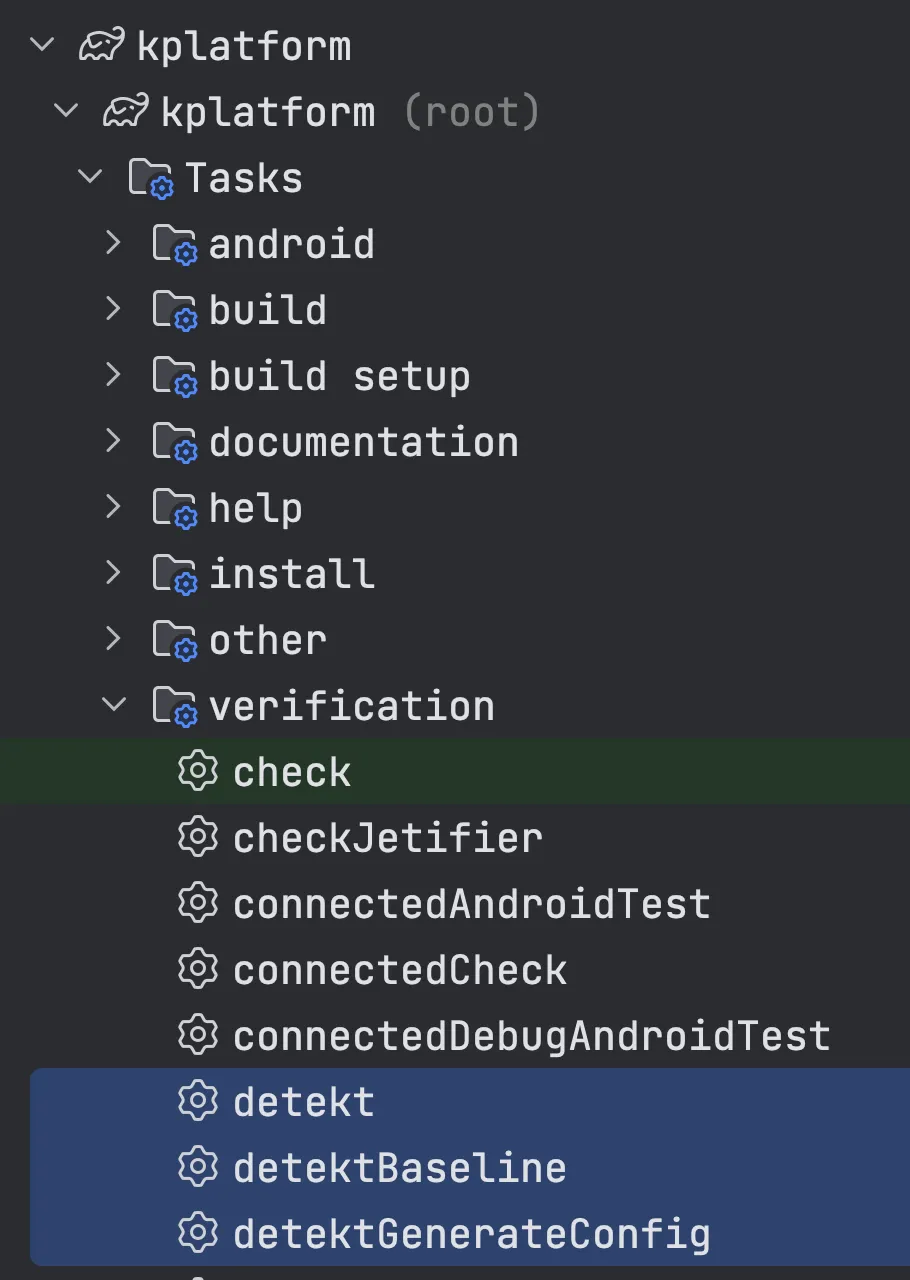
8 - Check that it’s working by running the following command.
Alternatively, you can simply double-click the detekt task in the Gradle task list:
./gradlew detektYou’ll notice we get a bunch of violations.
Next, let’s use Spotless to help us shrink that list of issues.
Adding Spotless
Spotless is another indispensable tool in Kotlin projects.
Its job is to magically format your code according to a predefined code style/settings.
Again, we won’t go deep into the library’s details; let’s go straight to using it.
Step by step
1 - Declare the spotless coordinates in libs.versions.toml
[versions]
spotless = "6.21.0"

[libraries]
gradlePlugin-spotless = { module = "com.diffplug.spotless:spotless-plugin-gradle", version.ref = "spotless" }

[plugins]
diffplug-spotless = { id = "com.diffplug.spotless", version.ref = "spotless" }
2 - Sync the project. Next, let’s create the SpotlessOptions files in the build-logic/src/.../options folder:
Here, our platform will be able to:
- Provide 2 default settings for the project:
SpotlessKtsRuleandSpotlessXmlRule. This configures Spotless for our Gradle files with the.ktsextension, as well as Android.xmlfiles. - Allow other file settings, depending on what each project needs.
data class SpotlessOptions(
    val fileRules: List<SpotlessFileRule> = listOf(SpotlessKtRule, SpotlessXmlRule),
)

interface SpotlessFileRule {

    val fileExtension: String
    val targets: List<String>
    val excludes: List<String>
}

object SpotlessKtsRule : SpotlessFileRule {

    override val fileExtension: String = "kts"
    override val targets: List<String> = listOf("**/*.kts")
    override val excludes: List<String> = listOf("**/build/**/*.kts")
}

object SpotlessXmlRule : SpotlessFileRule {

    override val fileExtension: String = "xml"
    override val targets: List<String> = listOf("**/*.xml")
    override val excludes: List<String> = listOf("**/build/**/*.xml")
}

class SpotlessOptionsBuilder {

    var fileRules: List<SpotlessFileRule> = listOf(SpotlessKtRule, SpotlessXmlRule)

    internal fun build(): SpotlessOptions = SpotlessOptions(
        fileRules = fileRules
    )
}
3 - Let’s create a spotless.kt file inside build-logic/src/.../decorations and declare the applySpotless() function
Note that:
- We’re applying Spotless to the root project. This makes formatting also happen on the root scripts, as well as on the
build-logicplatform. - We’re applying Spotless to all subprojects too.
- We’re using
ktlintas the rules forSpotless. - The plugin assumes there’s an
.editorconfigfile at the project root.
import com.diffplug.gradle.spotless.SpotlessExtension
import com.diffplug.gradle.spotless.SpotlessPlugin
import com.rsicarelli.kplatform.options.SpotlessOptions
import org.gradle.api.Project
import org.gradle.kotlin.dsl.apply
import org.gradle.kotlin.dsl.configure

internal fun Project.applySpotless(spotlessConfig: SpotlessOptions) {
    val project = this

    configureSpotlessPlugin(spotlessConfig, project)

    rootProject.subprojects {
        configureSpotlessPlugin(spotlessConfig, project)
    }
}

private fun Project.configureSpotlessPlugin(
    spotlessConfig: SpotlessOptions,
    project: Project
) {
    apply<SpotlessPlugin>()

    extensions.configure<SpotlessExtension> {
        kotlin {
            target("src/**/*.kt")
            ktlint().setEditorConfigPath("${project.rootDir}/.editorconfig")
        }

        spotlessConfig.fileRules.forEach { spotlessFileRule ->
            with(spotlessFileRule) {
                format(fileExtension) {
                    target(targets)
                    targetExclude(excludes)
                }
            }
        }
    }
}
4 - Create an .editorconfig file at the project root:
5 - Let’s expose this decoration in KPlatformPlugin.kt:
fun Project.spotless(builderAction: SpotlessBuilder = { }) =
    applySpotless(SpotlessOptionsBuilder().apply(builderAction).build())
6 - Sync the project. Next, go to the project’s root build.gradle.kts and declare the spotless plugin:
plugins {
    alias(libs.plugins.android.application) apply false
    alias(libs.plugins.kotlin.android) apply false
    alias(libs.plugins.arturbosch.detekt) apply false
    alias(libs.plugins.diffplug.spotless) apply false
    id(libs.plugins.rsicarelli.kplatform.get().pluginId)
}
7 - Sync the project. Next, edit that same build.gradle.kts and apply the spotless() decoration:
import com.rsicarelli.kplatform.detekt
import com.rsicarelli.kplatform.spotless

plugins {
    alias(libs.plugins.android.application) apply false
    alias(libs.plugins.kotlin.android) apply false
    alias(libs.plugins.arturbosch.detekt) apply false
    alias(libs.plugins.diffplug.spotless) apply false
    id(libs.plugins.rsicarelli.kplatform.get().pluginId)
}

detekt()
spotless()
8 - Sync the project. Notice that several spotless tasks are now available in the Gradle task list:
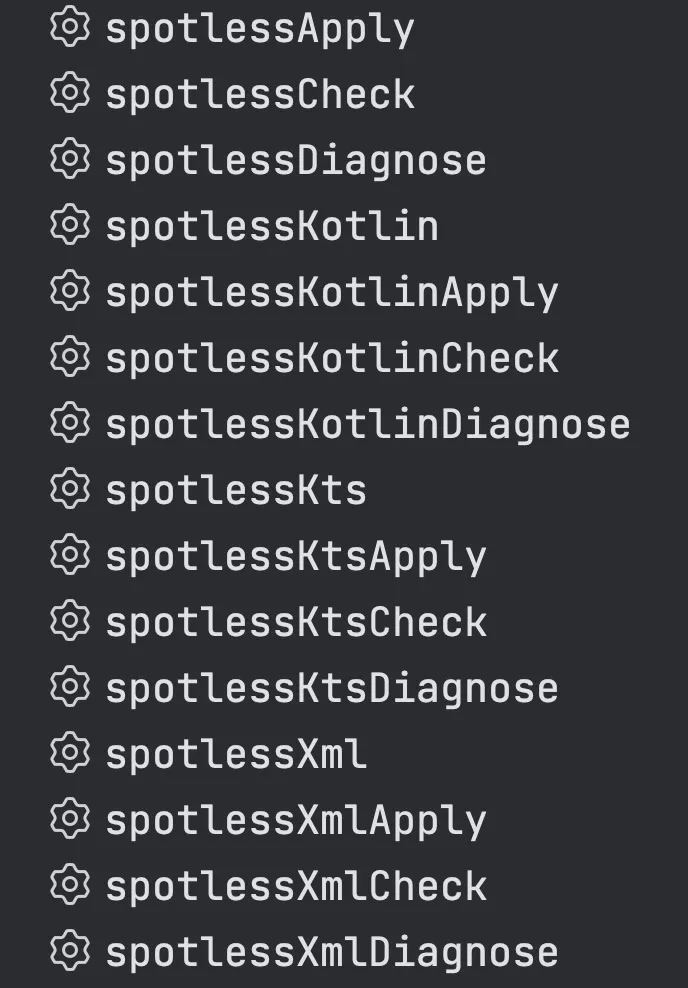
9 - Check that it works by running the command, or double-click the spotlessApply task in the Gradle task list:
./gradlew spotlessApplySuccess!
Spotless will fix a lot of the violations for us automatically. That said, there are a few, such as file naming, that Spotless doesn’t support.
While I was at it, in this branch I also added plenty of documentation for all of our platform APIs!
In the next article, we’ll wrap up this series of posts and share a bit about what’s coming next!