Android Plataforma - Part 1: Modularization
By Rodrigo Sicarelli 1 min read Updated
Efficiency matters in modern software projects. This article covers modularization in Kotlin/Android projects, the vital role Gradle plays in speeding up builds, and the challenges of managing multiple modules.
To handle this complexity, we’ll introduce the concept of a “platform” in development, showing how a structured platform can simplify dependency and configuration management.
What is modularization?
Think of a wardrobe: if all the pieces are mixed together, finding a specific item can take a while.
But if it’s organized, with a clear split for t-shirts, pants, and so on, everything becomes easier to reach.
This is similar to modularization in Kotlin. We split the code into “modules”, where each one has specific responsibilities. This grouping makes the project easier to maintain, reuse, and collaborate on.
Modularization vs folders
Simply grouping code into folders isn’t the same as modularizing. In large modules, small changes lead to recompiling the entire module.
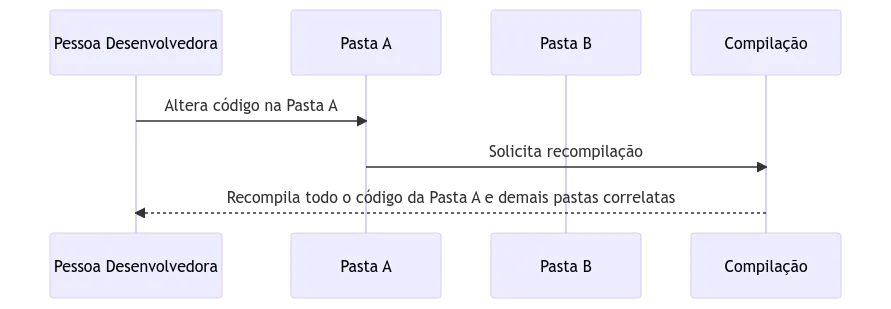
With smaller modules, only the changed section is recompiled, making builds more efficient.
Gradle in action
In the Kotlin world, Gradle is indispensable. It detects which modules changed and recompiles only those parts. The result? Faster builds and a more agile development process.
A diagram showing a heavily simplified version of this process:
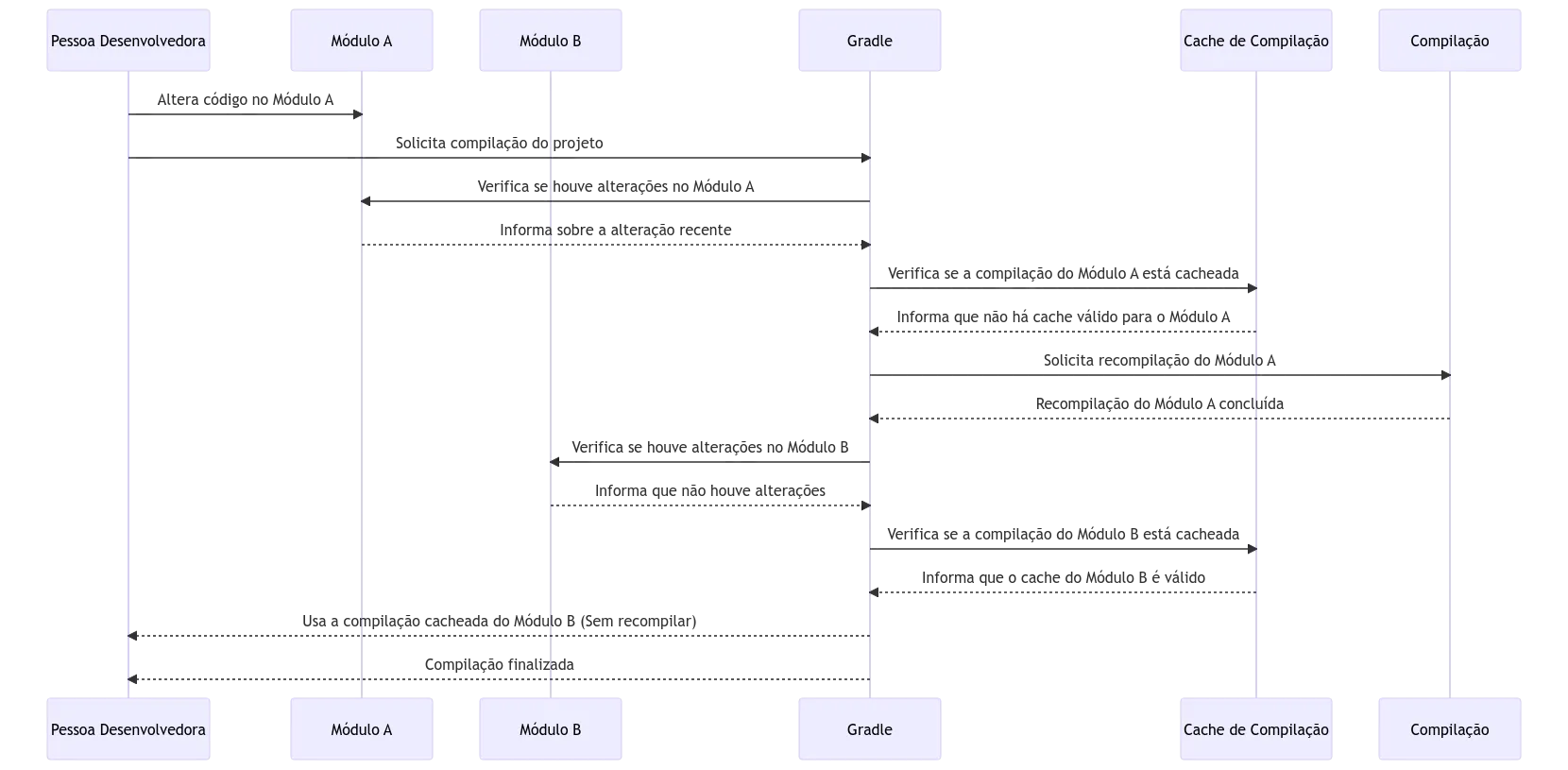
In small projects, modularization can seem unnecessary. But as the code grows, it saves time and resources. So in large projects, modularization becomes vital.
Maintaining the modules
Modularizing in Kotlin goes beyond architecture; it involves working with tools like Gradle. And challenges arise, such as keeping the build.gradle.kts files consistent. On top of that, it’s essential to make sure each module’s configuration is applied correctly.
The “Platform” concept
In software, “platform” refers to a set of tools and specifications that make development easier. In the Gradle world, building a “platform” helps standardize modules, simplifying dependency and configuration management.
Creating a platform for your Android project
Throughout this series, we’ll build a platform step by step, adding features along the way, aiming for a flexible solution. It’ll be like assembling Lego blocks, applying plugins that coordinate your project.